
Rent. Apartments & Homes
Rent Group, IncHouse & Home
4.78.66K Reviews
- Version
- 12.6.0
- Installs
- 5.00M
- Age Rating
- Everyone
Screenshots
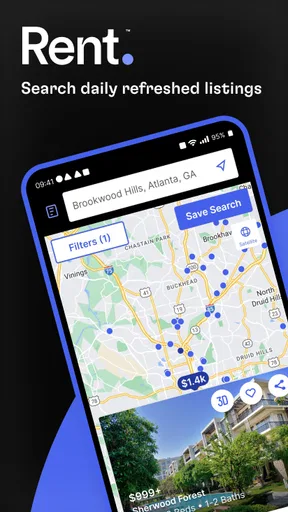
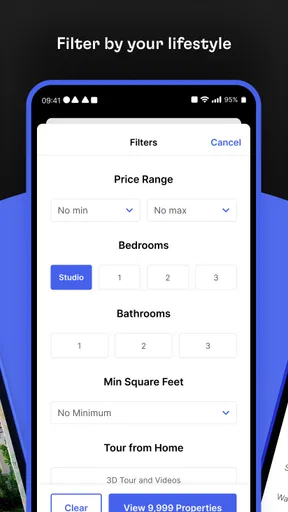
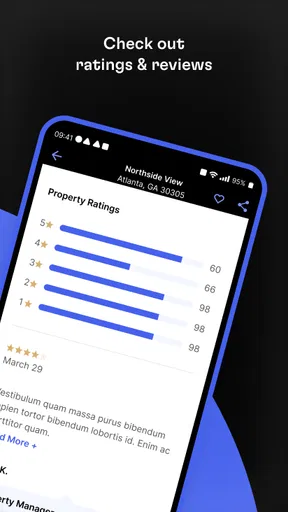
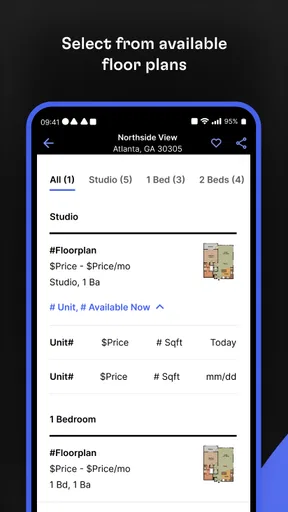
Our Review of Rent. Apartments & Homes
 Analysis by Appyee
For a first rental search, the hardest part is often turning a vague wish—somewhere affordable, comfortable, and close to daily life—into a useful shortlist. I’d use Rent. Apartments & Homes as a starting point for that process: it brings rental listings and search tools together, so I can compare possibilities without keeping every address in my head. It is a free House & Home app from Rent Group, Inc, and its 4.6 average from around 123,000 ratings suggests many renters find it useful. My main advice is to treat it as a discovery and organizing tool, not as a substitute for checking the details directly before committing.
Getting Started with Rent. Apartments & Homes
When I first opened the app, I was welcomed by a sleek and user-friendly interface. It doesn’t take long to get the hang of it, even if you’re not a tech wizard. The home screen is your gateway to a treasure trove of listings, and it’s refreshingly simple to navigate. You can search for listings based on location, price range, and even amenities, which is super convenient.
For a first search, I’d start with a location that is specific enough to be useful but not so narrow that it rules out every option. Then I’d set a price range I can realistically manage and add only the amenities I genuinely need. That order matters: it gives me a sense of what is available before I tighten the criteria. If I begin by selecting every preference, a short result list might reflect my filters rather than the rental market itself.
The app’s appeal is clearest when I’m comparing more than one possible area. Someone moving for work, starting college, or leaving a shared home can use the same search to explore different neighborhoods and price bands. A first-time renter may especially appreciate having the listings in one place, while someone who already has a trusted local agent or a building in mind may find a dedicated contact or property website more direct.
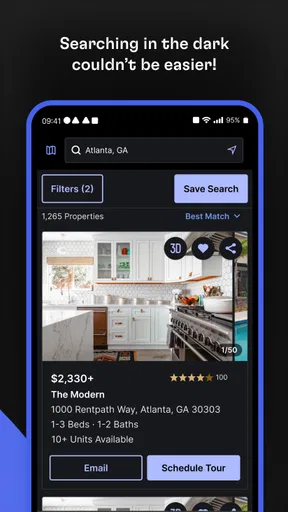
The search function is pretty robust. I found that the app allows you to set filters like pet-friendliness and in-unit laundry. Plus, the map view is a lifesaver! It’s perfect for visually-minded folks like me who want to see exactly where each potential home is located.
I’d use the map as a way to narrow down a viewing route, not as proof that a location will suit me. A pin helps me understand where a listing sits relative to places I care about, but the day-to-day feel of a street is something I’d still want to judge for myself. A practical routine is to shortlist a few candidates, note what I want to ask about each one, and then check the route at the times I would actually travel.
Features That Stand Out
One of my favorite features in the Rent. Apartments & Homes app is the ability to save listings. I can’t tell you how many times I’ve come across a fantastic place and forgotten where I found it. With this app, you can easily bookmark your favorites and come back to them later without any hassle.
Saving a listing becomes much more useful when I give each candidate a quick mental score against the same few needs: total affordability, location, and must-have features. I would not rely on a saved list alone to remember why a place stood out. Before contacting anyone, I’d revisit each listing and write down the questions its details leave open, such as what is included in the rent or whether an advertised feature is available in the specific unit.
The app also sends notifications for new listings that match your criteria. This is perfect for staying ahead of the competition, especially in hot markets where apartments get snapped up quickly. I found this feature incredibly helpful in keeping my housing search organized and efficient.
There is a trade-off with alerts: broad criteria can bring more opportunities, but they can also make it harder to spot the genuinely suitable ones. I’d begin with a sensible area and budget, then adjust the search if the results are too thin or too noisy. Notifications are prompts to review a listing, not a reason to rush into a decision. I’d still read the details, verify availability, and arrange a proper conversation or viewing before making plans around it.
Insights and Community
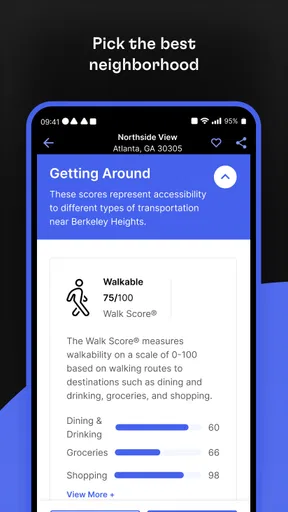
Another gem within the app is the neighborhood insights. It’s like having a local guide right in your pocket. You can check out schools, crime rates, and even the local vibe without having to do a separate Google search. It’s these little details that make the app stand out.
I see those insights as a first pass rather than a verdict on a neighborhood. A school detail or area statistic can help me decide what to investigate next, but it cannot tell me whether I’ll enjoy the walk home, find the commute manageable, or feel comfortable at different times of day. If I’m relocating, I’d pair the app’s overview with a visit or a careful check of the routes and services that matter to my own routine.
And, if you're someone who values community feedback, you'll love the reviews section. Previous renters share their experiences, giving you priceless intel on what living in a particular place is really like. It’s like having a conversation with a friend who's been there, done that.
I’d read renter feedback for recurring themes instead of treating a single comment as a guarantee. If several people raise the same concern, that gives me a useful question to take to a landlord or property manager. Reviews are personal experiences, though, and a building’s management or condition can change, so I would use them to guide a conversation rather than make the decision on their own.
Making the First Search Count
A realistic first session could be a renter searching after work, with only a rough budget and a move to plan. I’d enter the area where I need to be, browse the initial results, and save a few places that look plausible rather than trying to pick a winner on the spot. Then I’d compare their locations on the map, tighten the filters for essentials such as pet-friendliness or in-unit laundry, and check whether the shorter list still gives me options.
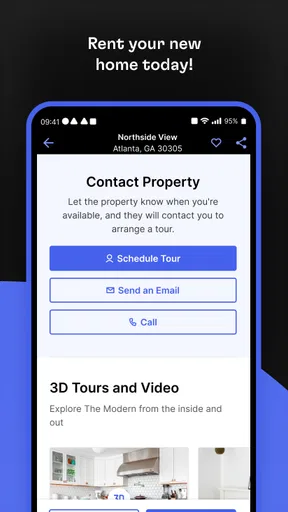
Before ending that session, I’d separate questions into two groups: details I can assess from the listing and details I need to confirm with someone. The first might include whether the location seems practical; the second could include current availability, the exact unit, and what the rent covers. That simple distinction helps prevent a polished listing from feeling more complete than it is. The app can help me get from “I need a place” to “these are the few homes worth investigating,” which is a meaningful first success.
For a roommate search, saved listings can also support a useful comparison conversation. Rather than forwarding a stream of links, I’d agree on a shared set of priorities first, then bring back a manageable shortlist and discuss the trade-offs. One person may value a shorter commute while another needs a particular amenity; the app can help surface options, but the people searching still need to decide which compromises are acceptable.
Where It Fits—and Where It Doesn’t
Compared with searching general classified listings, a rental-focused app gives me a more relevant starting point: location, price, amenities, map browsing, and saved homes are all part of the same housing search. Compared with checking individual property-manager websites, it can be easier for exploring several possibilities in one sitting. The flip side is that a focused search app should not be my only source if I already know a building I want to contact or need information that only its management can provide.
I’d also avoid assuming every result is equally current or that every listing answers the questions I care about. Rental details need to be checked directly, and a map pin or neighborhood summary cannot replace a viewing. When the app’s results feel limited, changing the search area or removing a nonessential filter is a sensible next step; if I’m committed to a particular building, contacting it directly may be faster than broad browsing.
The app is a good fit for renters who want to explore, compare, and keep track of potential homes, especially first-timers who need a clear way to turn preferences into a shortlist. It may be less useful for someone who has already secured a property, is searching in a market with very few listings, or wants a personal housing adviser to handle the process. In those cases, a direct conversation with a property manager or local professional can answer questions that browsing alone cannot.
Final Thoughts
All in all, Rent. Apartments & Homes is a solid choice for anyone navigating the rental market. It’s packed with features that make searching for a new home not only efficient but also enjoyable. Sure, like any app, it has its quirks, but the benefits far outweigh any minor hiccups.
Its scale is reassuring for a discovery tool: it has over 5 million installs, and it is rated for Everyone. The app is free, with version 11.9.0 requiring Android 8.0 or later. That makes trying it an easy first step for compatible Android users, while the central question is still whether its listings and search approach suit the place and priorities they have in mind.
Whether you’re a first-time renter or a seasoned pro, give this app a shot. It might just make your apartment hunt a whole lot easier. Happy house hunting!
Privacy and Permissions
See what permissions an app requests and how it handles your data.
- Location
- approximate location (network-based), precise location (GPS and network-based)
- Photos/Media/Files
- read the contents of your USB storage, modify or delete the contents of your USB storage
- Storage
- read the contents of your USB storage, modify or delete the contents of your USB storage
- Wi-Fi connection information
- view Wi-Fi connections
- Other
- view network connections, full network access, run at startup, prevent device from sleeping
Verdict
Strengths of Rent. Apartments & Homes
- User-friendly interface for easy navigation.
- Comprehensive filter options for precise searches.
- Real-time availability updates enhance reliability.
- Integrated map view for location insights.
- Secure in-app messaging for privacy.
Limitations of Rent. Apartments & Homes
- Limited listings in rural areas.
- Requires account for full access.
- Occasional app freezes reported.
- Some features hidden behind a paywall.
- Advertisements can be intrusive.
Other Releases by Rent Group, Inc
View All
Apartments by Apartment Guide
House & Home4.6
Similar Picks in This Category
View All
Universal TV Remote Control
CodeMatics Media Solutions3.9

AlfredCamera Home Security app
Alfred Systems Inc.4.7

Planner 5D: AI Home Design
Planner 5D4.5

Universal Tv Remote-Cast to TV
One Music Player4.1

Zillow: Homes for Sale & Rent
Zillow Group4.8

99acres Buy/Rent/Sell Property
infoedge.com4.3
Frequently Asked Questions
What features does the Rent. Apartments & Homes app offer?
The Rent. Apartments & Homes app offers a comprehensive suite of features to simplify your property search. Users can explore detailed listings with high-quality images, filter searches by location, price, and amenities, and save favorite properties for easy access. The app also includes an interactive map feature to view property locations, making it easier to find the perfect home in your desired area.
Is the Rent. Apartments & Homes app free to use?
Yes, the Rent. Apartments & Homes app is free to download and use. While the app provides extensive free features such as browsing listings and setting up alerts, certain premium features or services may require in-app purchases or subscriptions. Always check the app store for the latest pricing details and available options.
How accurate are the listings on the Rent. Apartments & Homes app?
Listings on the Rent. Apartments & Homes app are updated regularly to ensure accuracy. The app collaborates with property managers and landlords to provide current and detailed information. However, availability can change rapidly, so it's advisable to contact the property owner directly through the app for the most up-to-date information before making any decisions.
Can I apply for rentals directly through the Rent. Apartments & Homes app?
Yes, the app allows users to apply for rentals directly. After finding a suitable property, you can submit your rental application within the app, streamlining the process. This feature often includes options to upload necessary documents and personal information securely, making it convenient to communicate with property managers or landlords.
What should I do if I encounter issues with the app?
If you experience any issues with the Rent. Apartments & Homes app, there are several support options available. You can access the help section within the app for troubleshooting tips or contact customer support via email or phone. Additionally, checking for app updates can often resolve technical problems as developers frequently release patches and improvements.
